 Harshit Mishra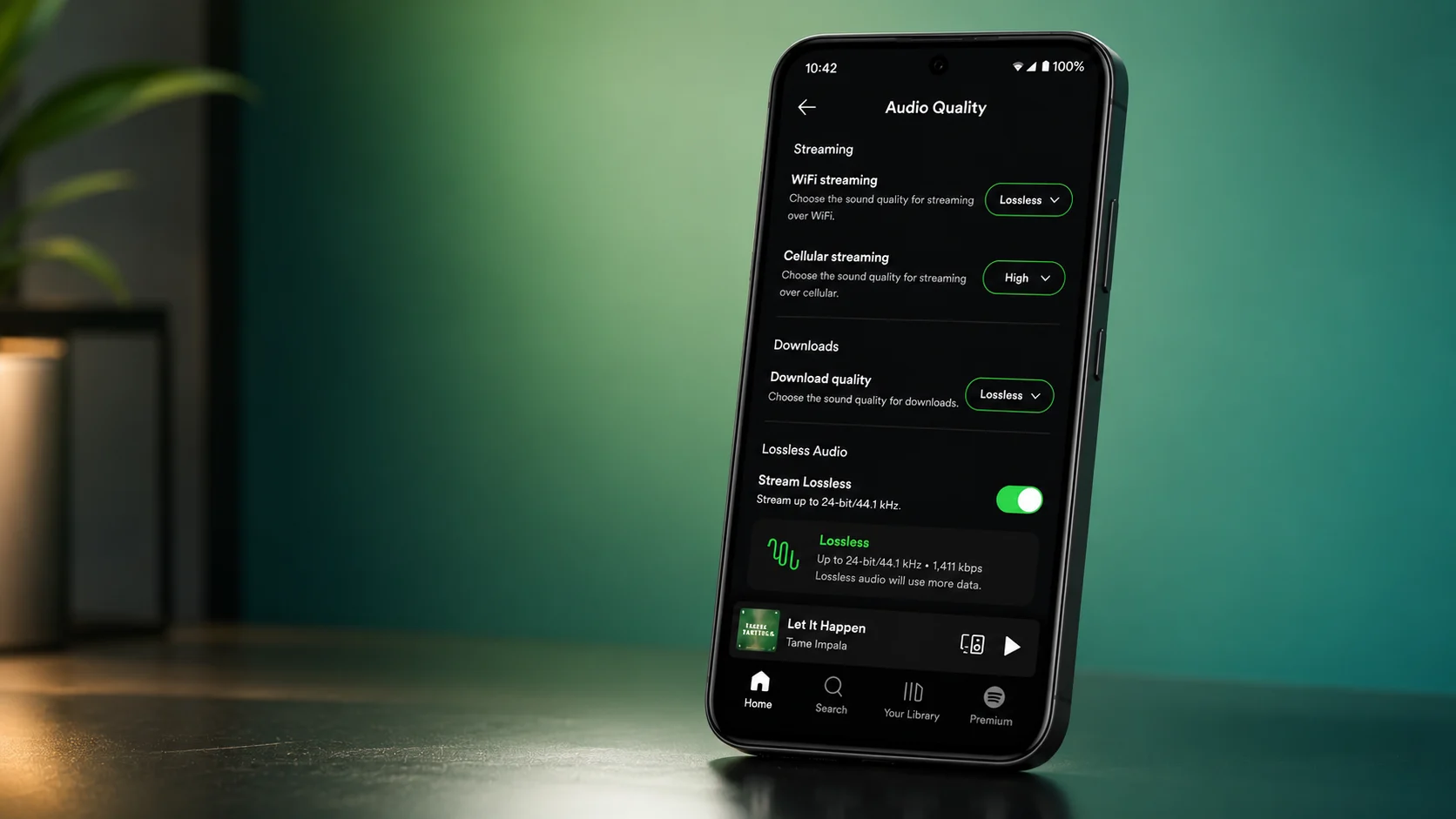
Now Spotify has finally introduced its new feature that is called Lossless Audio, but this is only available for Premium users. In this feature, the sound quality of audio was improved. With this feature, music feels clearer, like a studio recording. This update is going to be released slowly for every user, but in the beginning, it is not available for everyone.
Table of Contents
What Is Spotify Lossless Audio?
With the help of the spotify lossless audio, the original sound details remain the same, it does not removed after compression. With this feature, songs feel more clearer and also feel natural. In 2021, Spotify planned to launch this feature, but it was not launched. After seven year now, this feature is finally introduced.
The good news is that Premium subscribers now get it without buying another subscription. Spotify uses 24-bit/44.1 kHz FLAC for Lossless streaming. While some other music services offer higher numbers, most people will still notice a big improvement compared to normal streaming quality.
Spotify Audio Quality Options
Spotify now offers five audio quality settings:
- Low
- Normal
- High
- Very High
- Lossless
Higher quality provides better sound but also uses more internet data and storage.
Countries that get this feature
First, this feature is only going to be released in the only these countries, but after some time, this feature is going to be released in more countries.
- Australia
- Sweden
- United States
- United Kingdom
- Australia
- Germany
- Japan
- Netherlands
- Austria
- Denmark
- Portugal
- Czechia
- New Zealand
Supported Devices
Lossless Audio works on many devices, including:
- Android phones
- iPhones
- Tablets
- Windows and Mac computers
- Spotify Connect devices
- Compatible speakers and headphones
How to Enable Lossless Audio on Android and iPhone
To enable lossless audio on Android and iPhone, you need to follow these steps:
- Open the Spotify app.
- Tap your profile picture.
- Now you just need to open Settings and Privacy.
- Then select the Media Quality.
- Choose Lossless.
- Turn on Lossless for Wi-Fi, mobile data, and downloads if you want.
How to Enable Lossless Audio on PC
Desktop users can enable it in a few seconds.
- Open Spotify.
- Click your profile picture.
- Go to Settings.
- Find Audio Quality.
- Select Lossless for streaming.
- Choose Lossless for downloads if available.
Tips for Better Sound
To experience this feature, it is recommended to use wired headphones or speakers. As we know, a wired connection gives more clearer and audion without the compression of the sound.
Also Read:- How to Get HyperOS 2.2 Early on Your Xiaomi Phone
Bluetooth headphones are good options, but Bluetooth always compresses audio before sending it. If you use wireless earbuds, devices that support codecs like LDAC, aptX, or LHDC can offer better sound than standard Bluetooth. Some users also use an external DAC (Digital-to-Analog Converter) for clearer audio, and, as per reports, lossless music uses more internet and storage space.
Final Thoughts
Spotify Lossless Audio is one of the best features for the Premium members. With this feature, music quality is improved at their current subscription price. If the option is not visible yet, update your Spotify app and wait for the rollout to reach your account. As soon as this update comes to your device, you can enjoy a richer and more detailed listening experience in your device.






Leave a Reply